

SpendHub: Spend Analytics Without Bank Linking

Consolidate spending across all your cards and accounts in one place. No bank linking or logins required.Upload CSV, PDF, or Excel files and get Spend Analytics plus Ask Finn insights—including spend vs your baseline and peers.
Aggregate from Multiple Cards
Upload CSV, PDF, Excel
Spend Analytics
Privacy-First
Ask Finn (Personal CFO)
SpendHub spend analytics dashboard
Upload Expenses
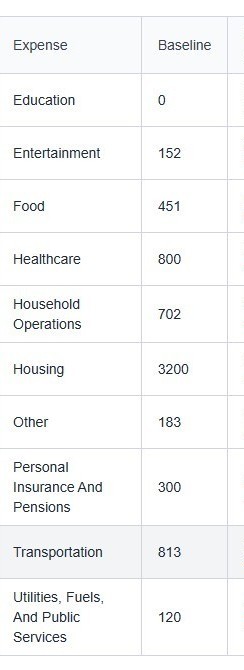
Aggregated Spending Overview

How SpendHub Works in DIY MY FINANCES

SpendHub powers spend analytics inside DIY MY FINANCES: upload statements, consolidate spending across cards, and let Ask Finn (Personal CFO) surface what changed, what’s unusual, and what to do next.

Our Unique Approach:

  • Upload & Aggregate:Upload CSV, PDF, or Excel files from any card or account. We consolidate your spending with no bank linking required.
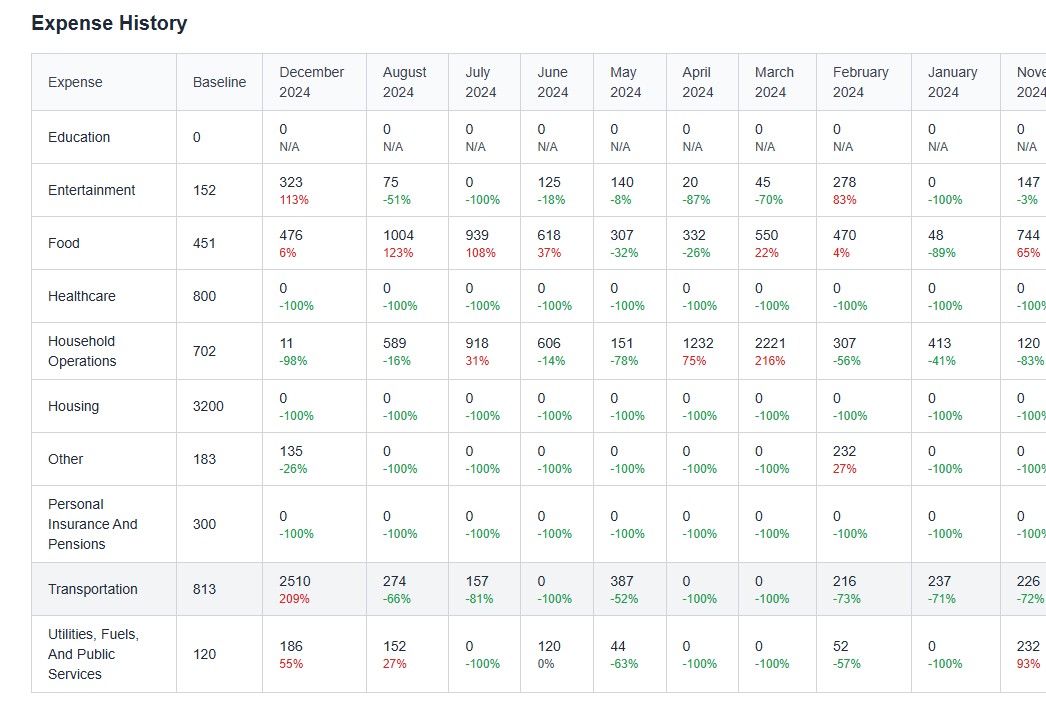
  • Spend Analytics:Categorize spending, see trends and outliers, and understand where money is going across accounts.
  • Multi-Account Tracking:Combine spending across all credit cards, banks, and payment apps for a unified view in seconds.
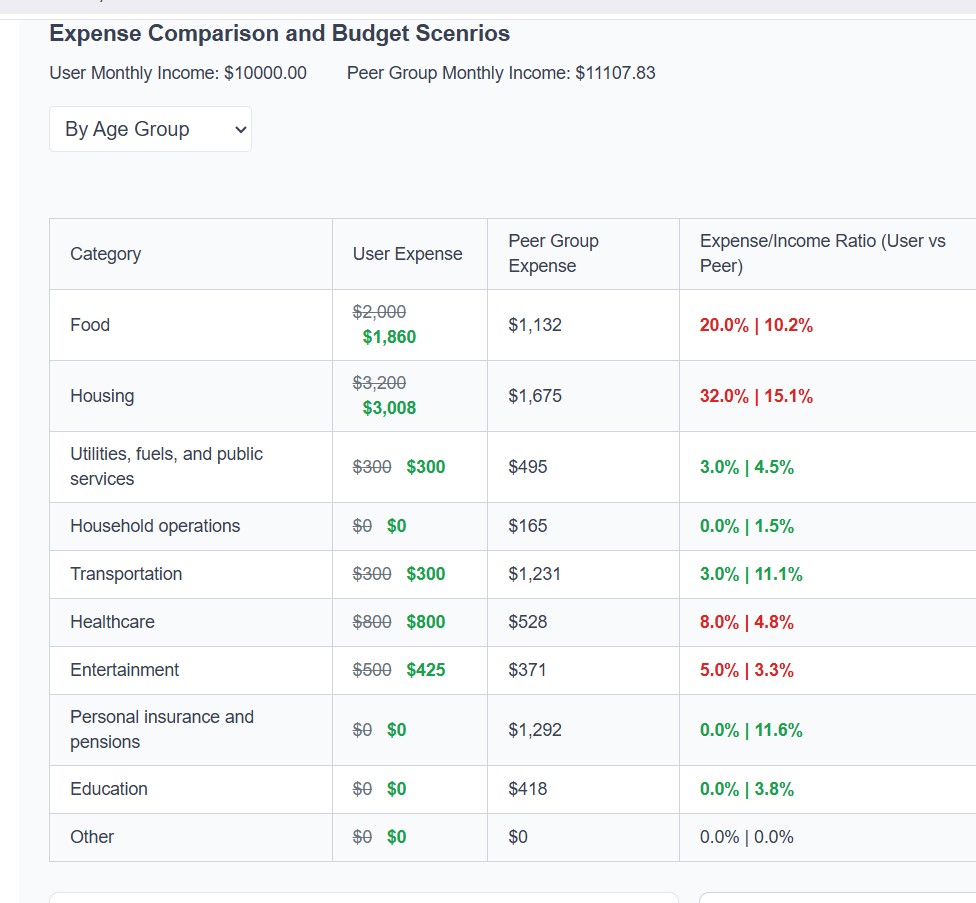
  • Peer Comparison:Benchmark spending by age group, region, or income to add context to your decisions.
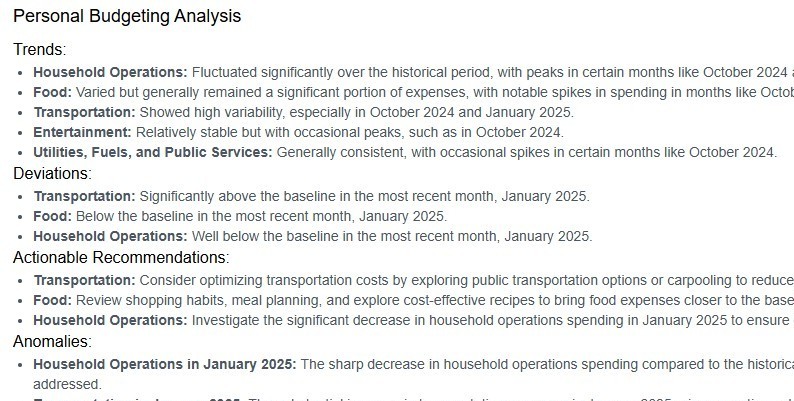
  • Ask Finn (Personal CFO):Spot spend vs your baseline and peers, understand what changed, and get clear next steps.
  • Privacy-First:No required bank linking. You control what data enters the system and what gets analyzed.

How to Start Tracking Expenses:

  • Upload your expense files: Choose CSV, PDF, Excel, or connect a spreadsheet.
  • Review and categorize: Our AI organizes your transactions for you, but you can adjust as needed.
  • View all accounts together: Instantly aggregate and analyze spending across every card or account.
  • Analyze trends: Use our dashboard to spot trends, outliers, and new savings opportunities.
  • Benchmark and optimize: See how your spending compares to others and get personalized recommendations.
Ready for SpendHub + Ask Finn? Start your free trial—no bank link required.

See SpendHub (Spend Analytics) in Action

Visualize spending across accounts, upload files, and get real-time spend analytics and insights with Ask Finn.
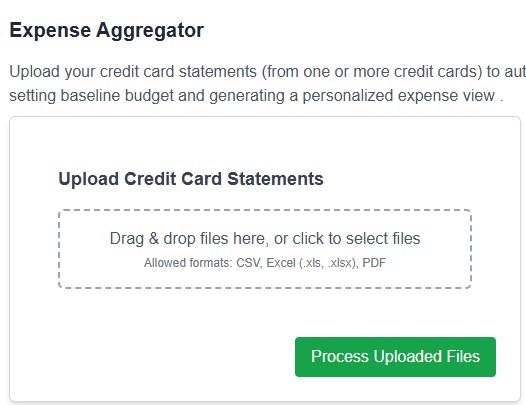
Upload credit card transactions for expense tracking
Aggregate expenses across all cards and accounts
Spend analytics: categorize and analyze spending
Peer comparison and expense trend dashboard
Smart insights for tracking and saving money
All screenshots are from the real DIY MY FINANCES experience. Try uploading your spending today—no bank link required.

Take Control of Your Spending Decisions

Upload spending, see the patterns, and ask Ask Finn what to do next.

Start Your Free Trial


No bank link required. No credit card needed.